It sees your whole home. Now it runs it.
Apple Home, Google Home, and SmartThings in one app, deduped into a single list. See every device, then actually control it: lights, scenes, locks with Face ID, the garage, thermostats, even Philips Hue. One home, one app.
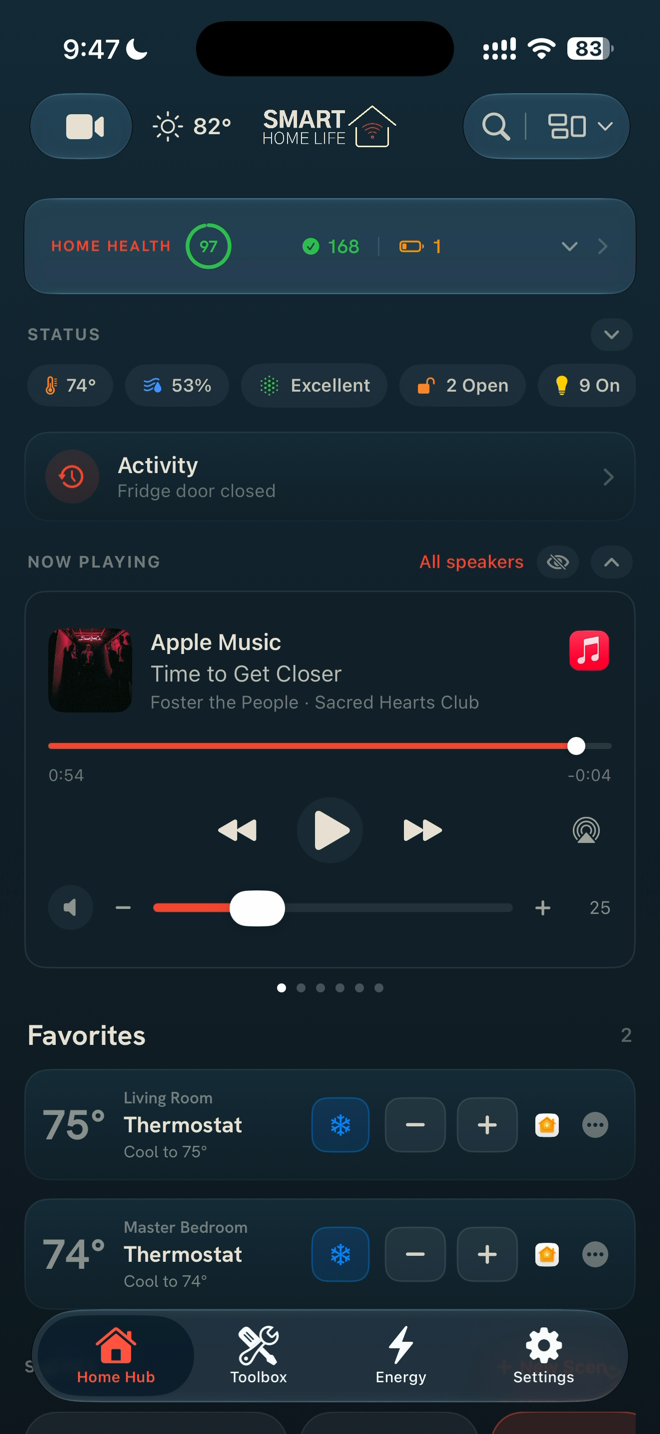
Your home, sized for the room you're in.
Glance at it on your phone. Stand it on the counter as a wall display. Let it settle into a calm night face that wakes when you walk past. One app, three states.
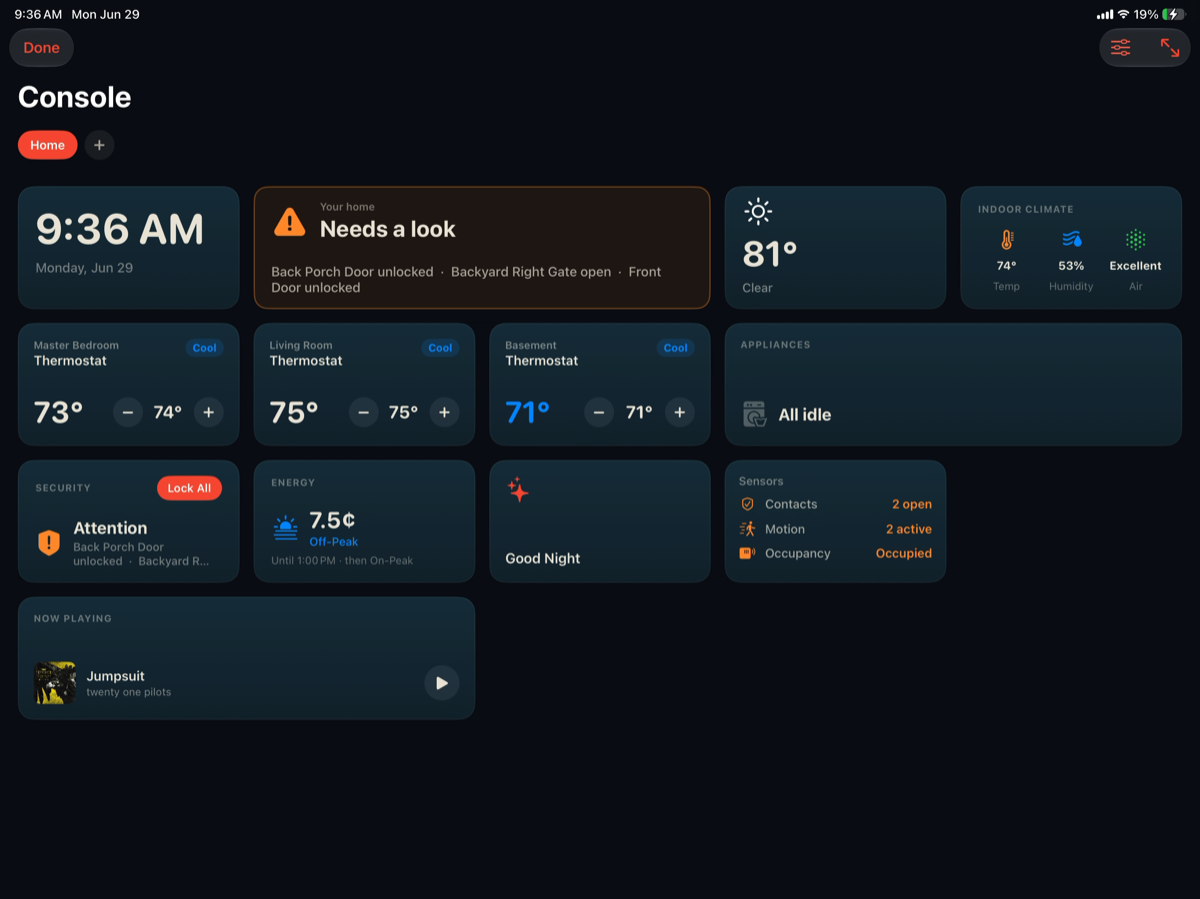
Free glance tiles built in. Console $7.99 unlocks live camera, energy, vehicle and appliance tiles, custom boards, and the wall and night faces. Included in the bundle.
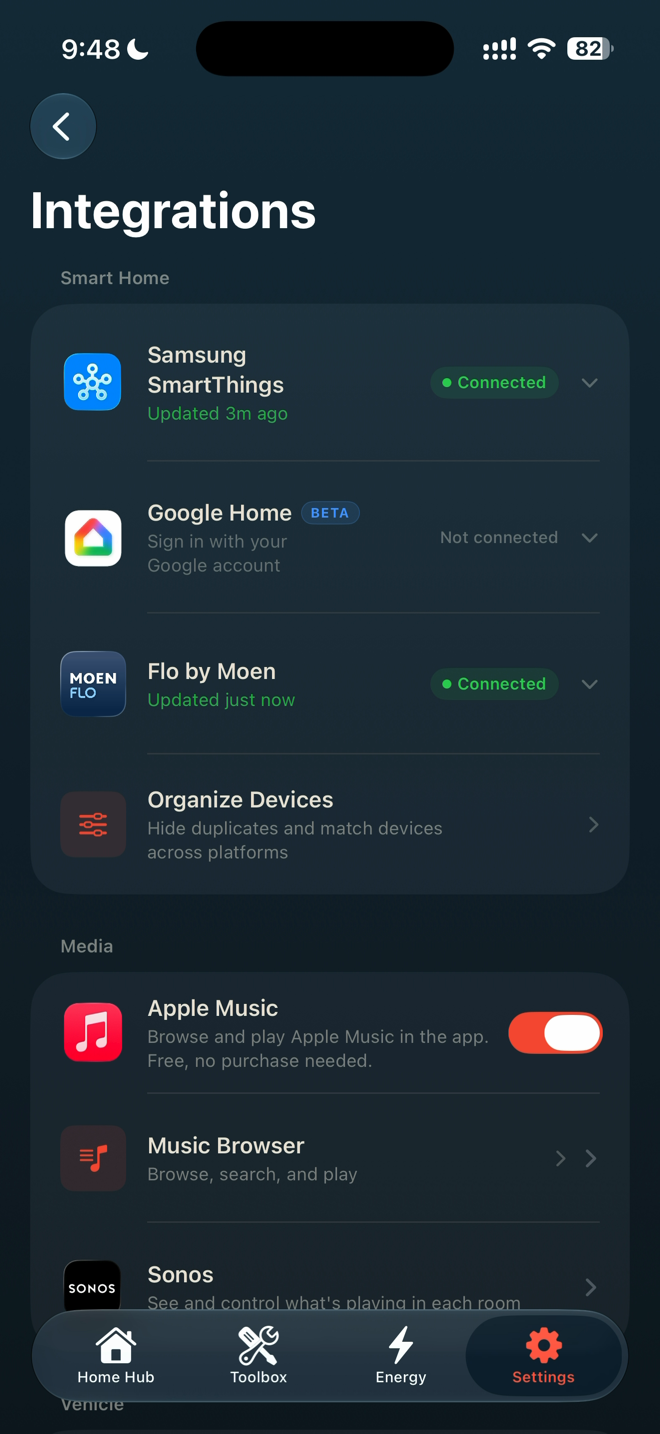
Not just a dashboard. A remote for the whole house.
For two years this app only watched. Now it acts. Tap a tile and it does the thing, across every ecosystem you own.
Hand guests the house, not an app.
A door code plus the lights, plugs, and scenes you choose, shared as a link. Your guest taps it and controls exactly that from any phone browser. No app to install, no Apple ID, no account to create.
Passes are time-boxed: they start at check-in, end at checkout, and shut off on their own. The door code rides your SmartThings lock.
Guest Access $6.99, one time. Included in the $19.99 bundle. Receiving a pass is always free.
A lot landed this release.
Ambient Apple Music
A full-screen now-playing wall face with album art and live controls. Open straight into Apple Music for lyrics.
Philips Hue, direct
Local control of every Hue light and scene, a live event stream, and Sync Box for your TV. No extra hub trip.
Appliance timers
Live Activities count down your washer, dryer, and oven from the Lock Screen.
Bandwidth check
A free speed test that tells you what your internet means for your cameras, not just a number.
CarPlay
Arrive-home and leave-home tiles, plus a home status glance, sized for the dash.
Ask your home
Ask "what's running right now?" in plain language and get a real answer, built from your live device state, on device.
Energy, its own tab
A rate clock that counts down to off-peak, live usage, grid status, and a plan picker that shows your savings.
New in 3.5
Pulled straight from the current App Store release notes, live since July 23, 2026. When the next version ships, this section updates itself.
Free tools. No account. No paywall.
Free forever, not free-for-now. No sign-up, no trial clock.
Pay once. No subscription.
Buy a tool and it's yours. Nothing renews. Every paid tool starts with a 7-day free trial.
7-day free trial on the paid tools. The network tools above stay free with no account, forever.
The honest answers.
Smart Home Life. One home, one app.