
It's Dinnertime!
For working parents who need help getting dinners made. Save the recipes your family actually eats, plan the week in one sitting, walk the store in aisle order, and cook hands-free.
Everything but Pro is free, forever: plan the week, save recipes, walk the shop with your list, and cook hands-free, with no account and no ads.
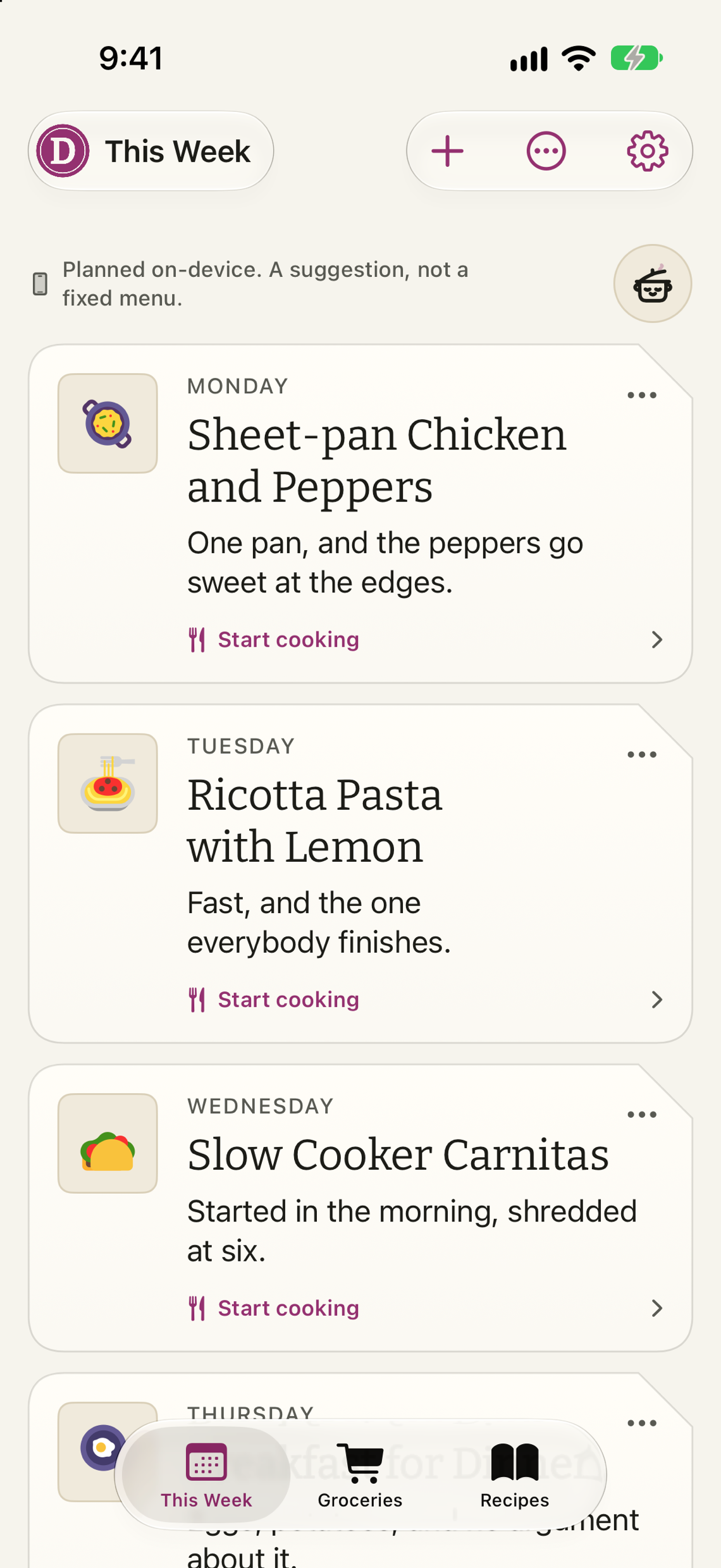
Four moments, not forty features.
Every picture below is the app, not a mockup.
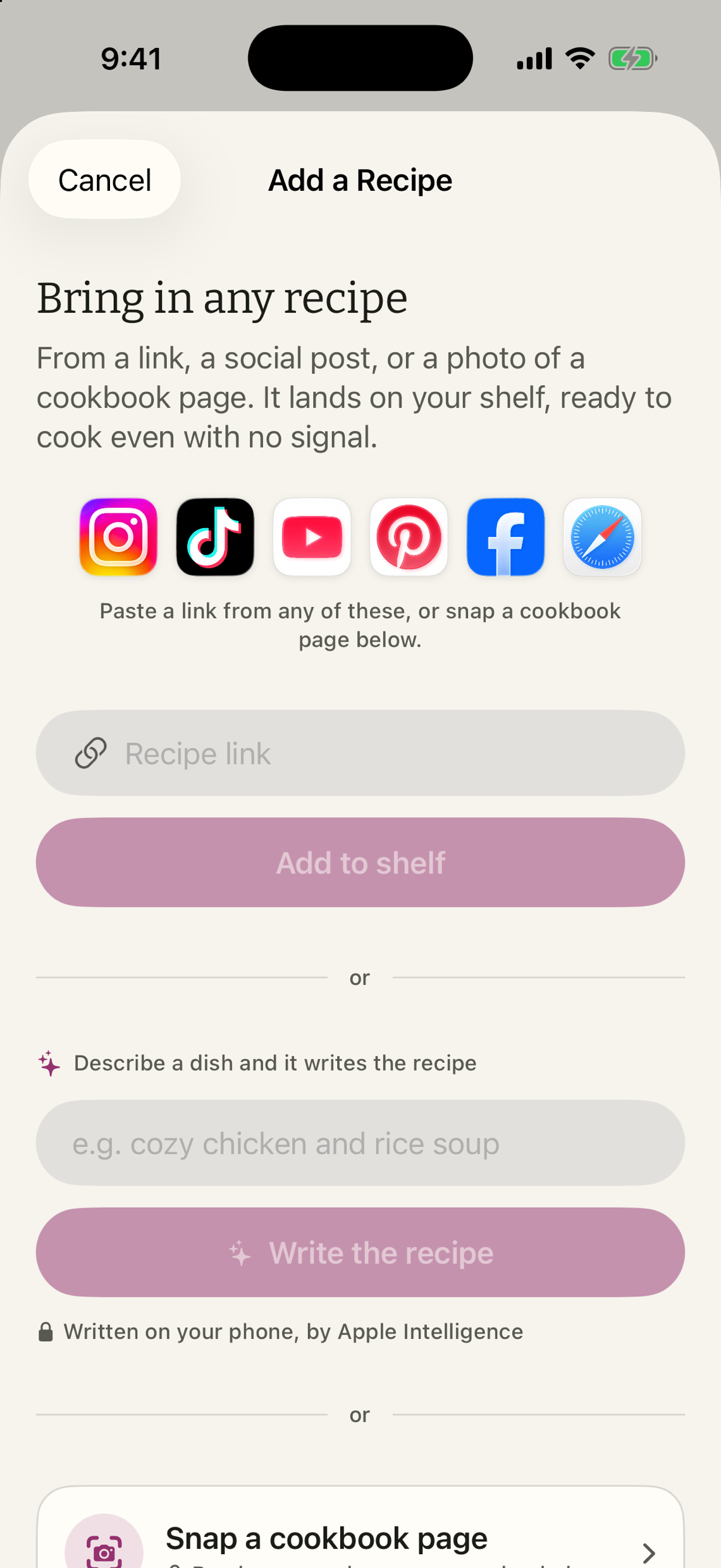
Paste a link from Instagram, TikTok, YouTube, Pinterest, Facebook or Safari and the recipe lands on your shelf with its own photograph and its own words.





The page's own ingredients and steps, never a guess at them. Where it came from stays on the card, and every line is yours to edit. A thin caption gets written out on the phone, and the recipe says so. Share it straight from the other app, snap a cookbook page, or write one down yourself.
The list writes itself from the week, in aisle order, and remembers what you bought last time.






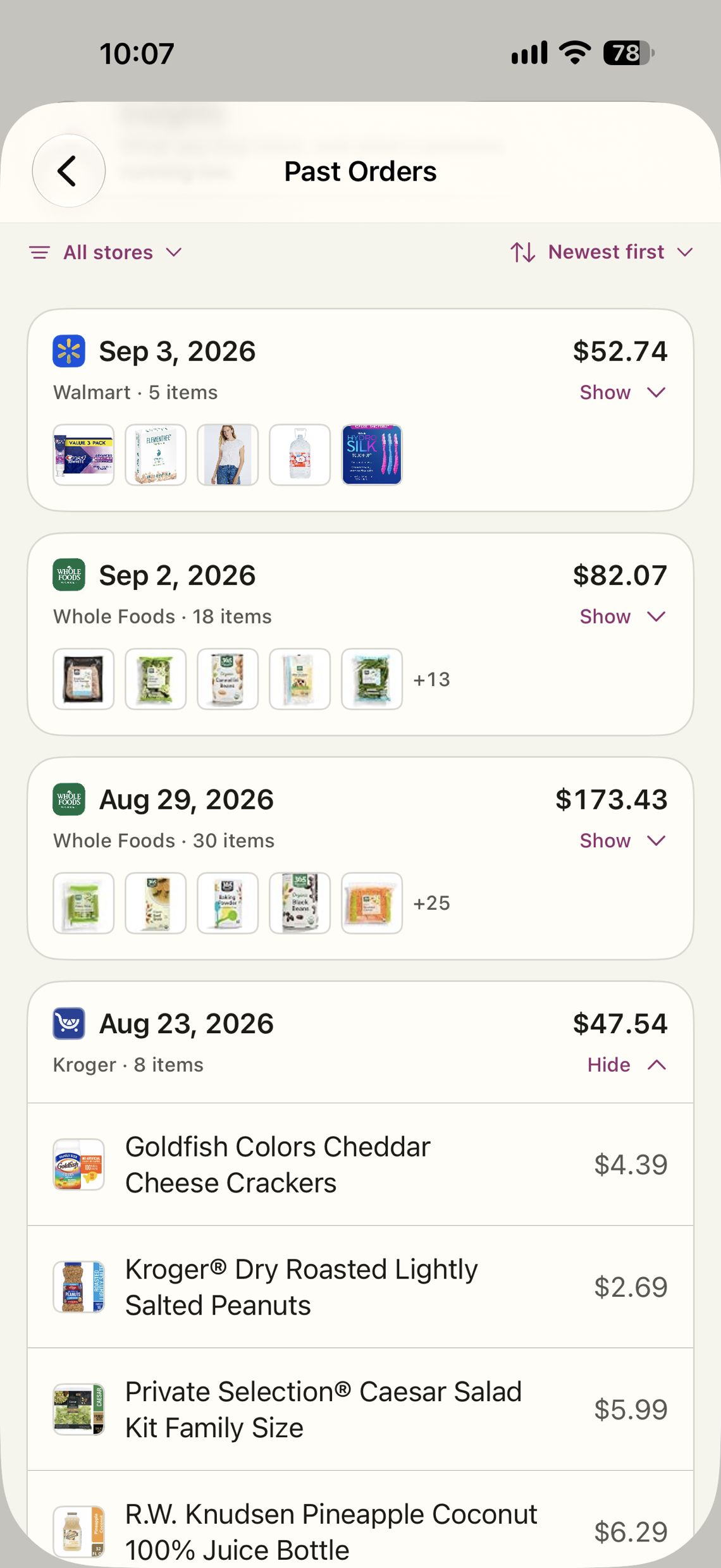
Sign in to your own store accounts. With Pro, the app reads your past orders back to you from Kroger, Whole Foods, Walmart and Publix, a barcode scan shows the same item priced at every store you use, live Kroger shelf prices land on the list as you plan, and the whole list goes to your Kroger cart in one tap. Costco and Albertsons connect for search and barcode compare; their order pages are not readable, and the app says so.
Prices come from the Kroger family of stores once you pick yours, and only with Pro. Without them the list still works.
Press the button, say the item.
Set the Action Button to Dinnertime and a press asks what should go on the list, then which of your store lists. Say it or type it, and it lands there without the app opening, even from the Lock Screen. Add another, or, with Pro, hear what is probably running low from your past orders.
Set it up once in Settings, Action Button, Shortcut, Dinnertime. Also works by asking Siri: "Add eggs to my grocery list in Dinnertime."
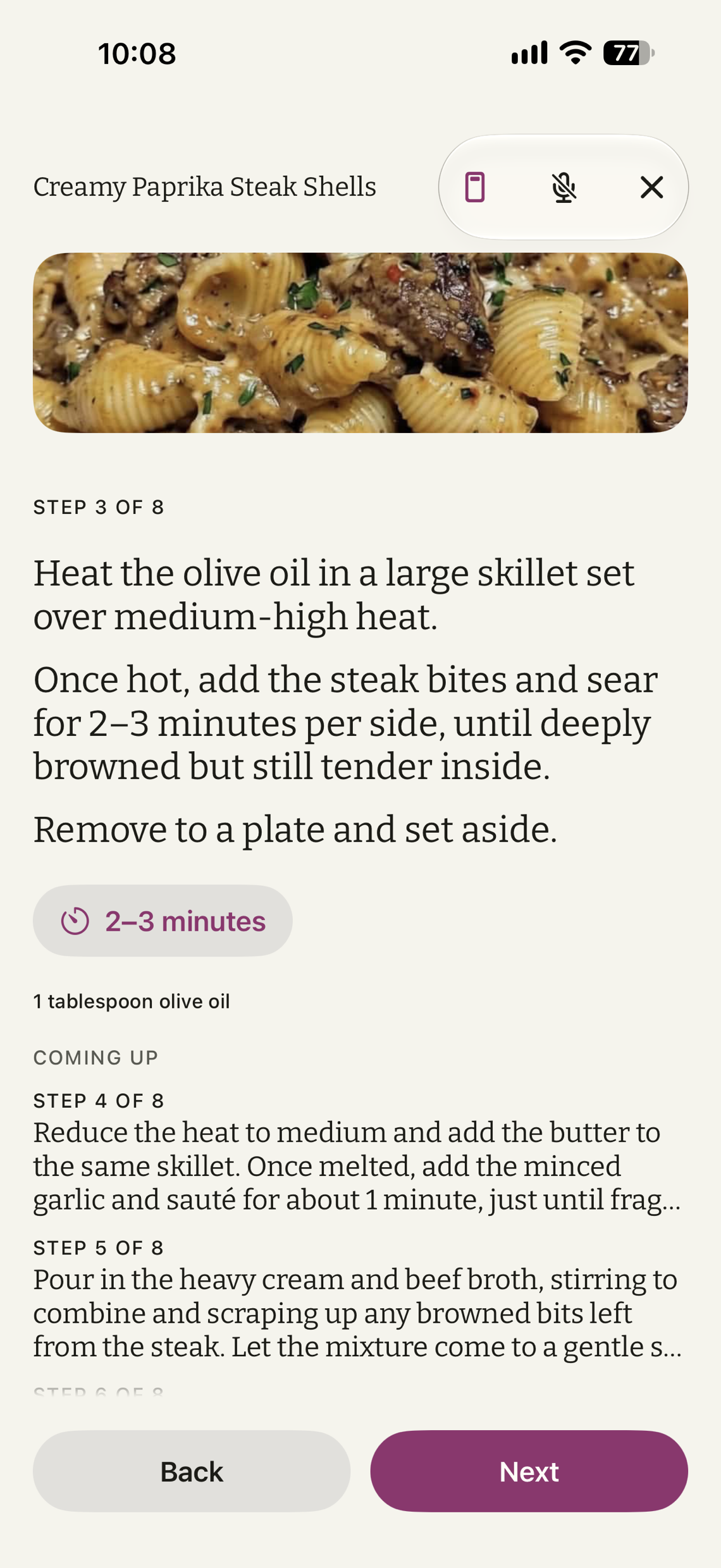
One step at a time in large type, with the timer and this step's ingredients beside it.
- Say next when your hands are covered in flour.
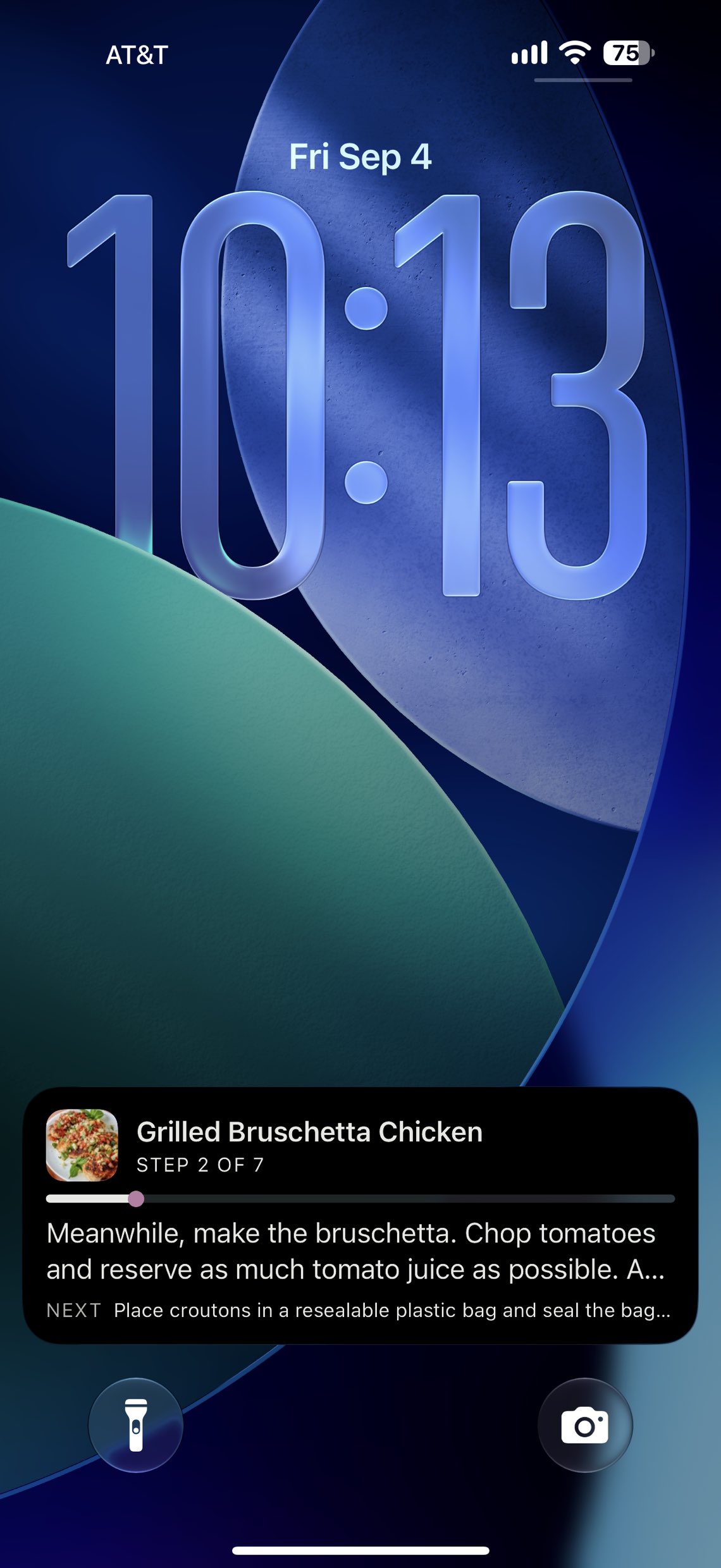
- The timer follows you to the lock screen and the Dynamic Island.
- Cooking for more? Scale the dinner and the list follows.
- What is coming up next sits under the step, so you can read ahead.
And the rest of it.
The things a week actually needs, each one real.
Scan it anywherePro
One barcode, every store you use, checked by barcode at each of them. Only a store that carries the exact item shows a price, and a store with several matches lets you pick the right size.
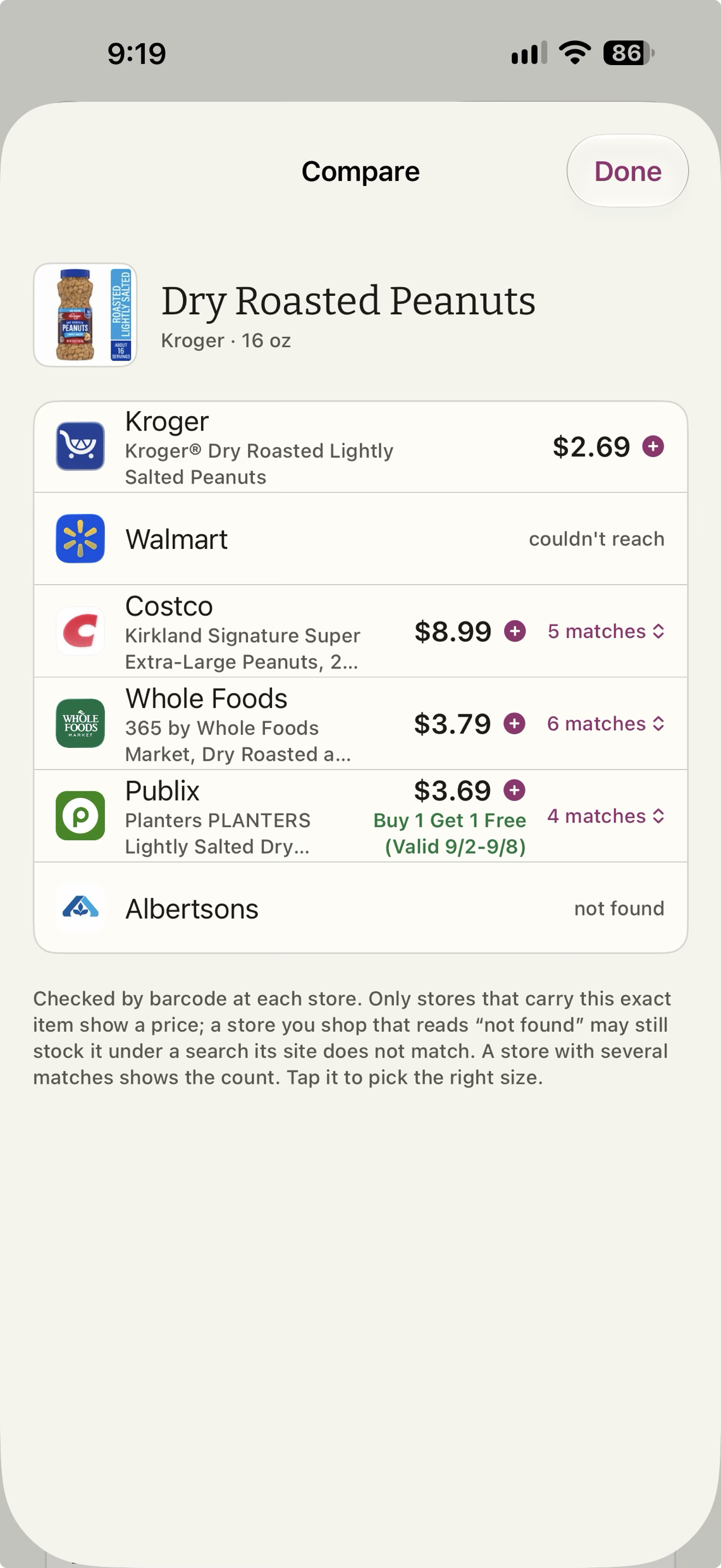
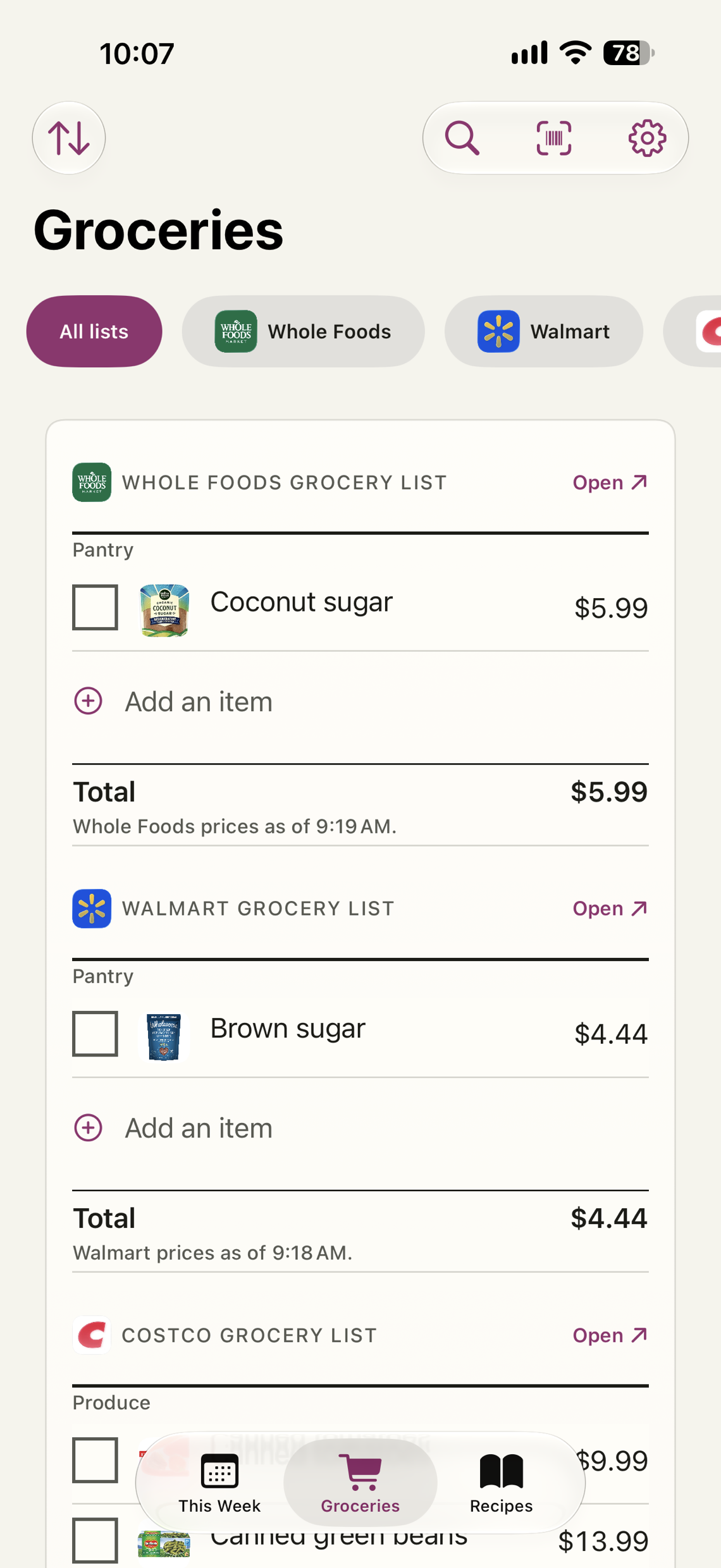
Prices on the listPro
Every item priced, a total for each store, and the time each price was read. Kroger's prices come from Kroger itself. The rest are read off your own signed-in store page, on the phone.
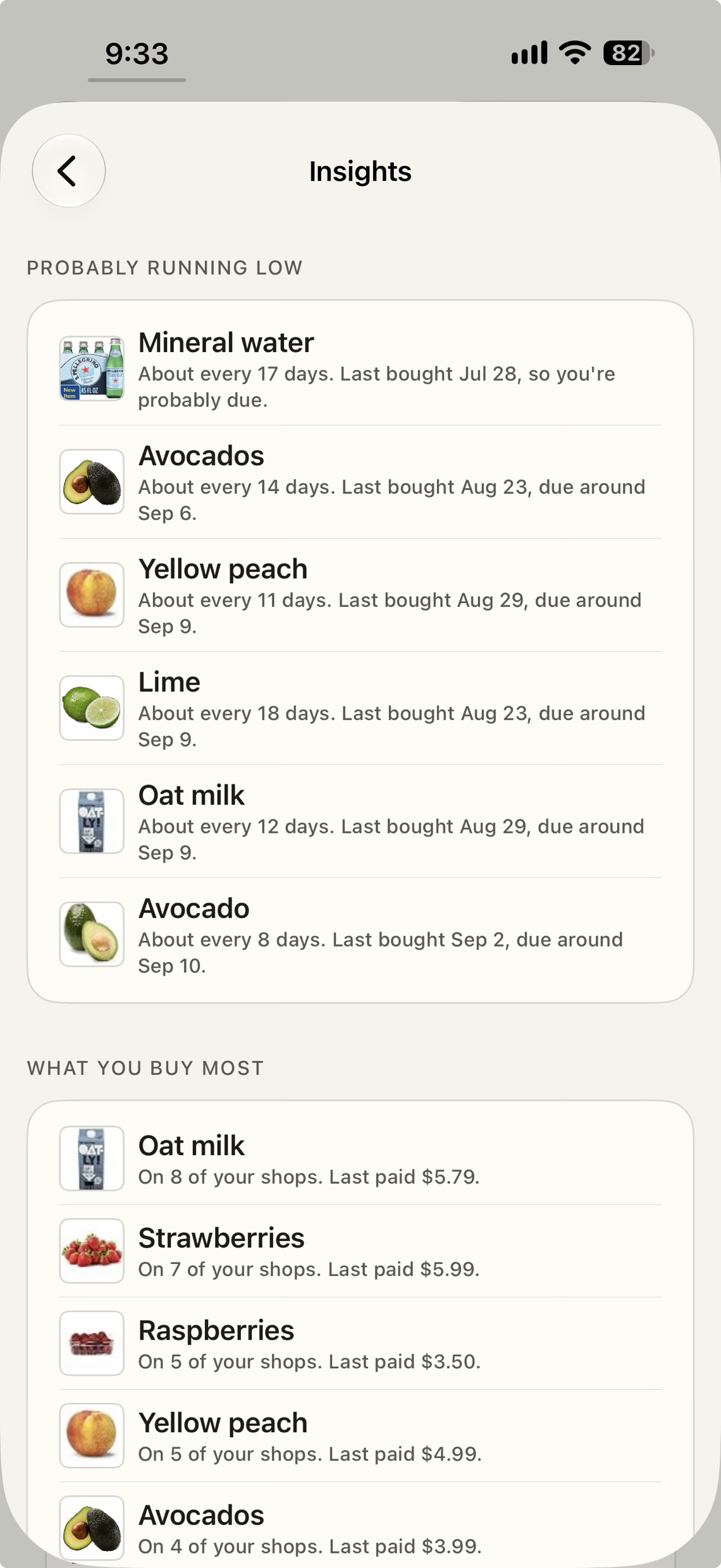
Running lowPro
Your own past orders, read back to you: what you buy most, and what is probably out.
The labelPro
A nutrition panel for every recipe, estimated on the phone.
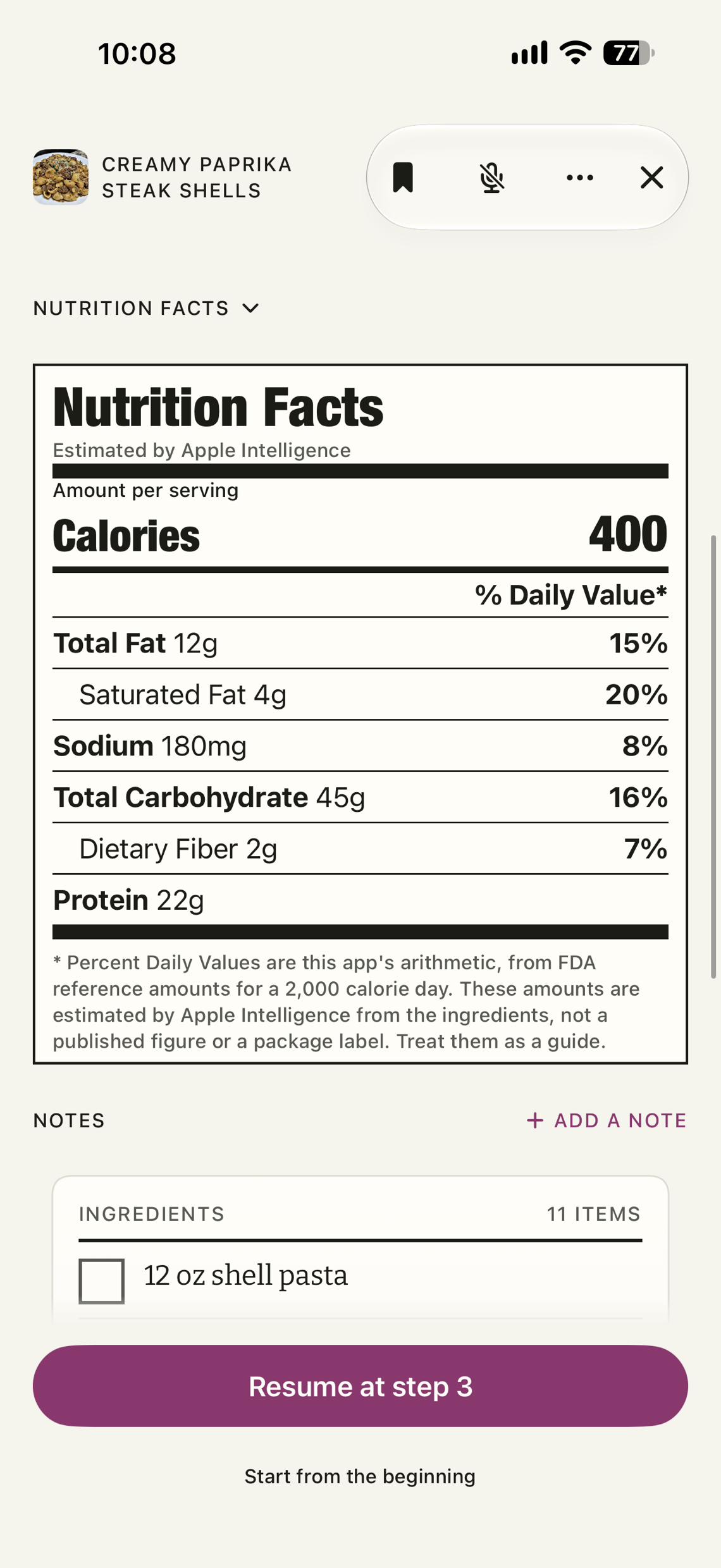
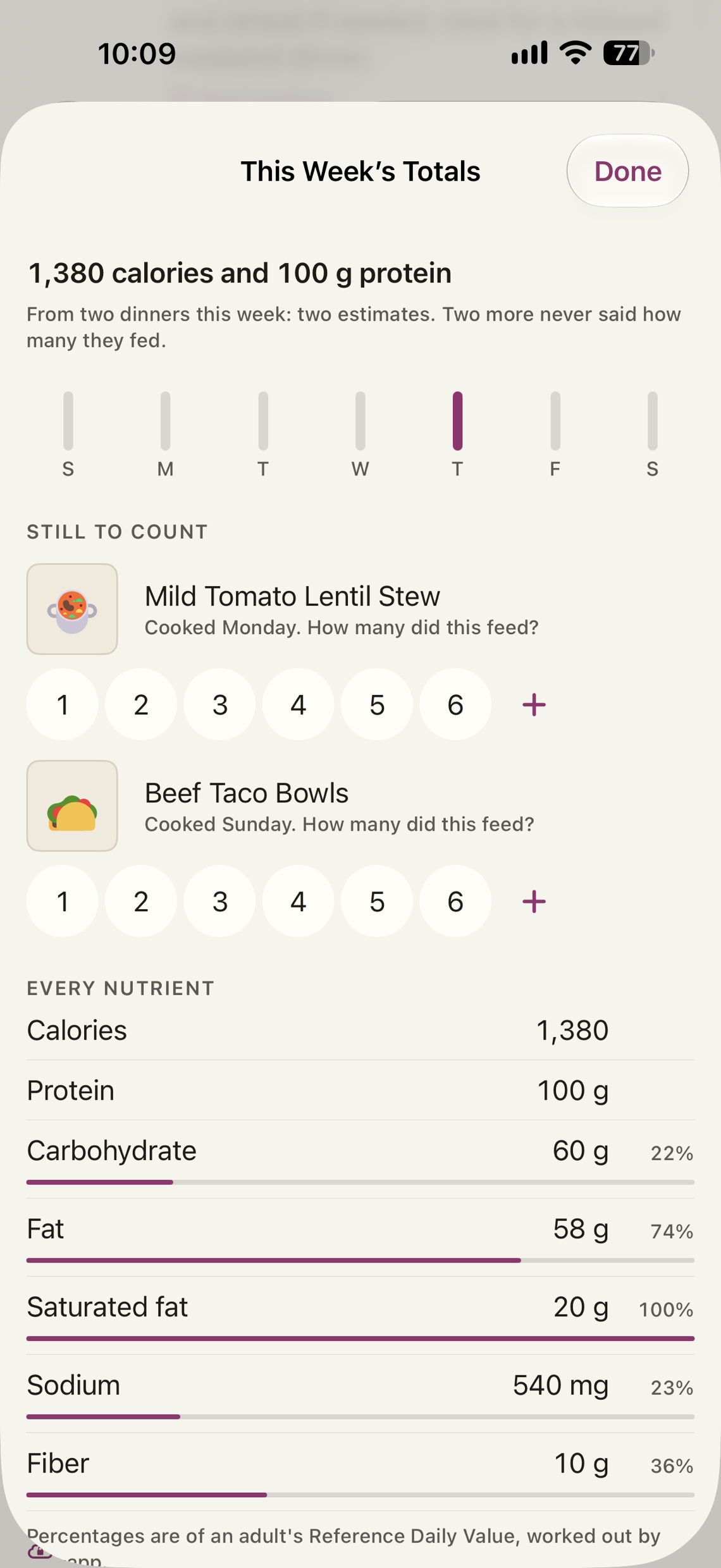
The week, added upPro
Answer one question at the end of each cook, how many did this feed, and the week keeps score. Calories and protein for the week are free, on This Week under your dinners. Pro opens the whole table: every nutrient with its percent daily value drawn as a bar, the week's shape day by day, this week against last, and each night opening into its own figures. Every total says what it is made of, published labels counted apart from estimates, and a night you forgot to answer can be counted late.
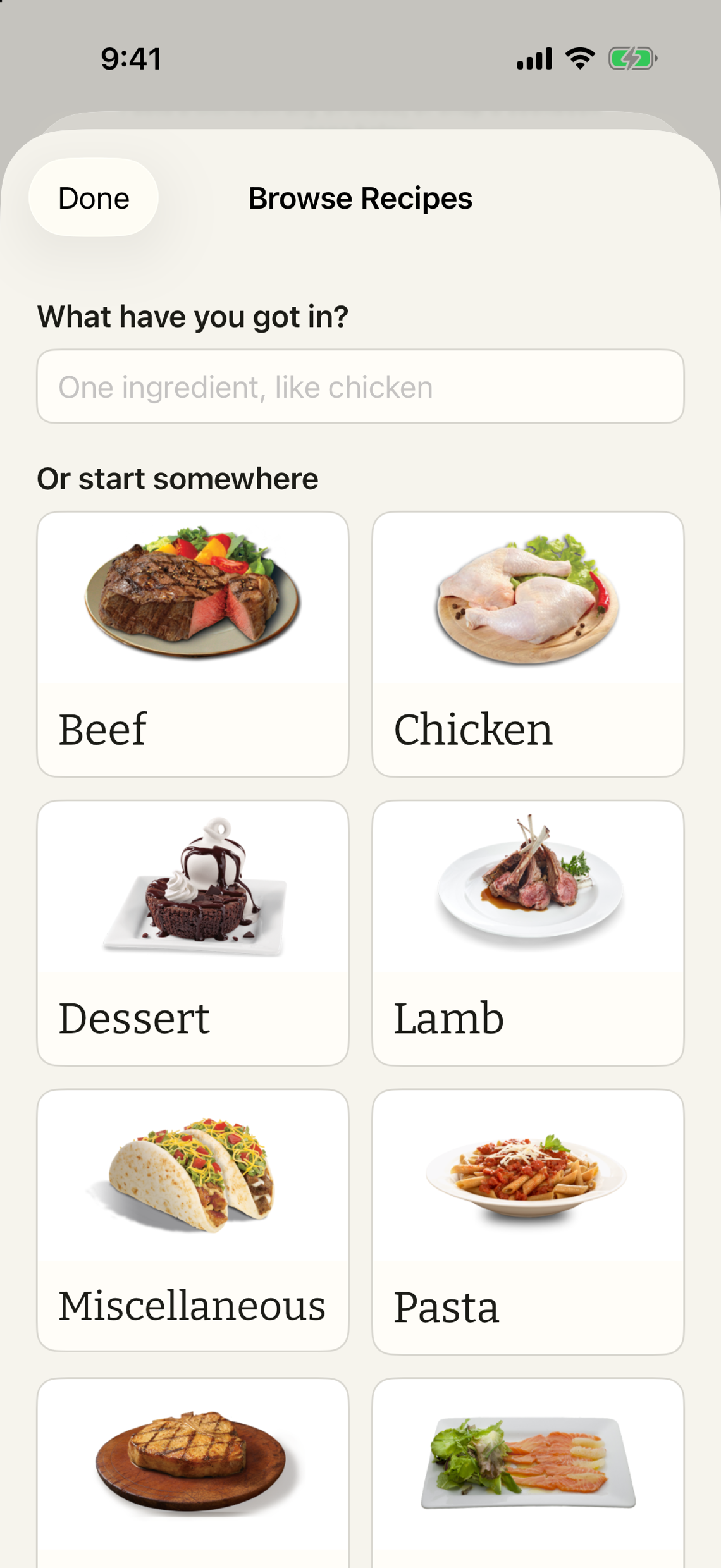
A shelf to start from
An empty shelf is the hardest day. Browse a free library by what is in the fridge or by where you feel like starting, and the recipe lands on your shelf with its picture and its credit. Free for everyone, recipes and photographs from TheMealDB.
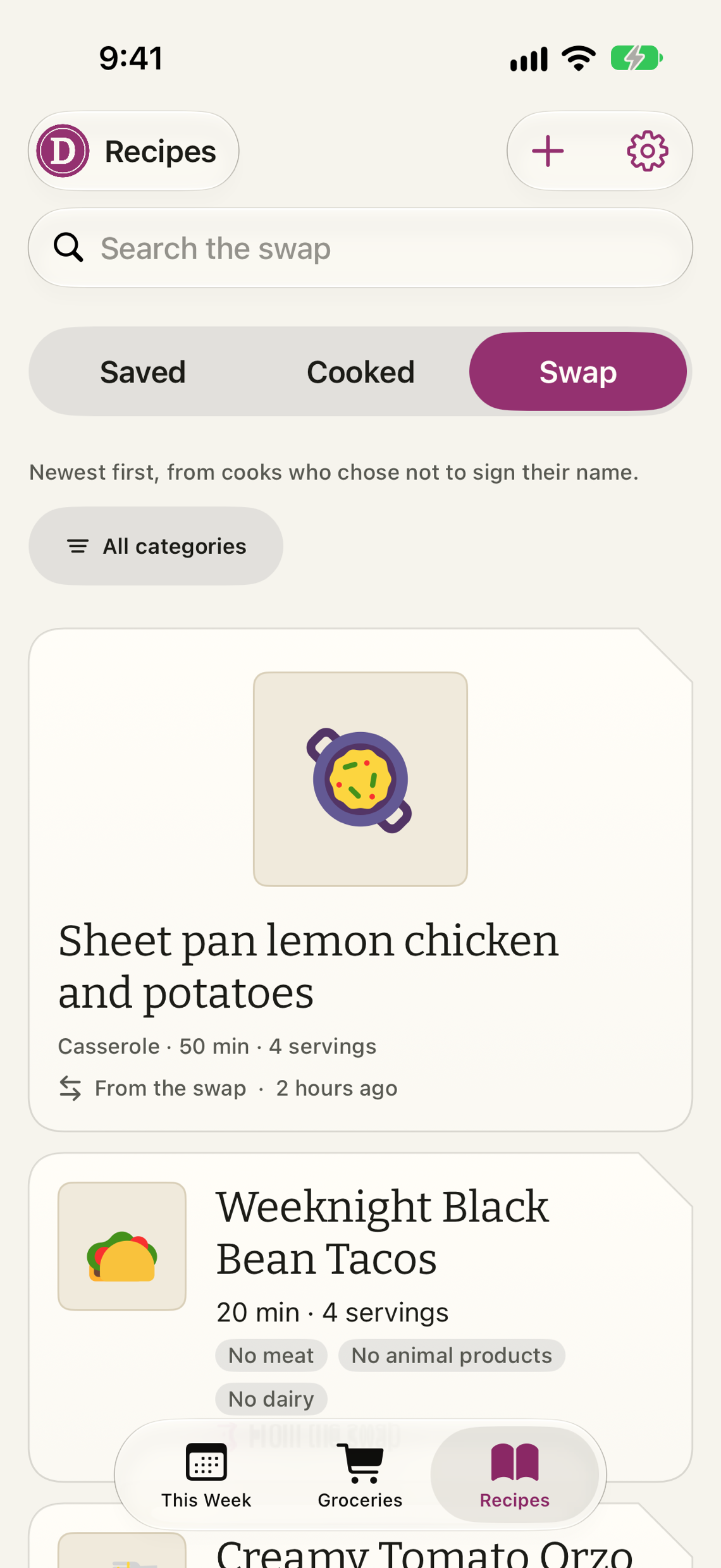
Trade recipes
The swap is a board of dinners other cooks shared, newest first, none of them signed. Save one to your shelf, or put up one of yours without your name on it. Nobody, including us, can see who posted what.
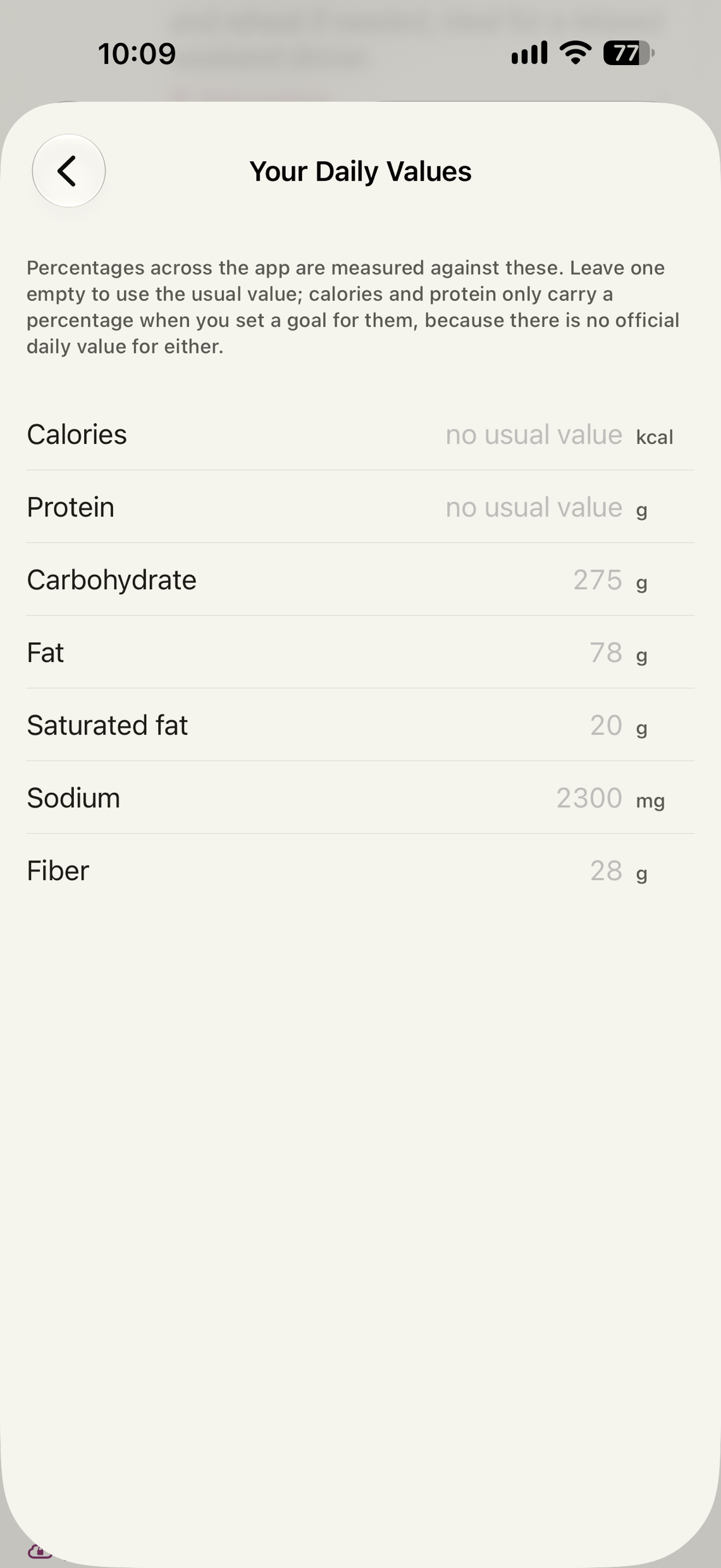
Your own daily valuesPro
More protein, fewer carbohydrates, your calories. Every percentage in the app measures against your own goals once you set them, and calories and protein earn a percentage the official table never gave them. Leave a goal empty and the usual value stands.
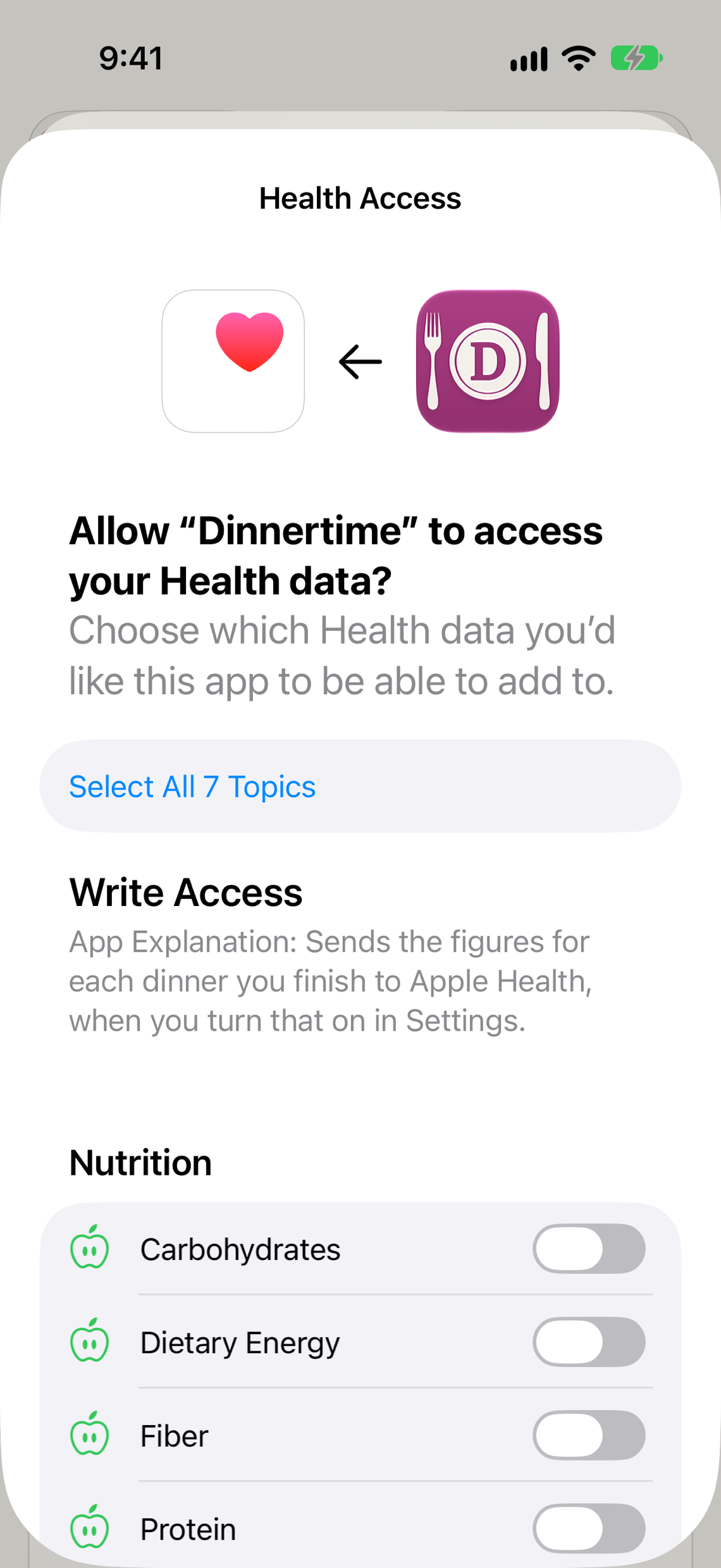
Straight to Apple Health
Turn it on and the figures for each dinner you finish land in Apple Health, dated at the cook, estimates marked as estimates. That connection only writes. A separate, optional connection can show today's totals from other apps beside your dinner; what it reads is displayed on the phone and forgotten. Free for everyone.
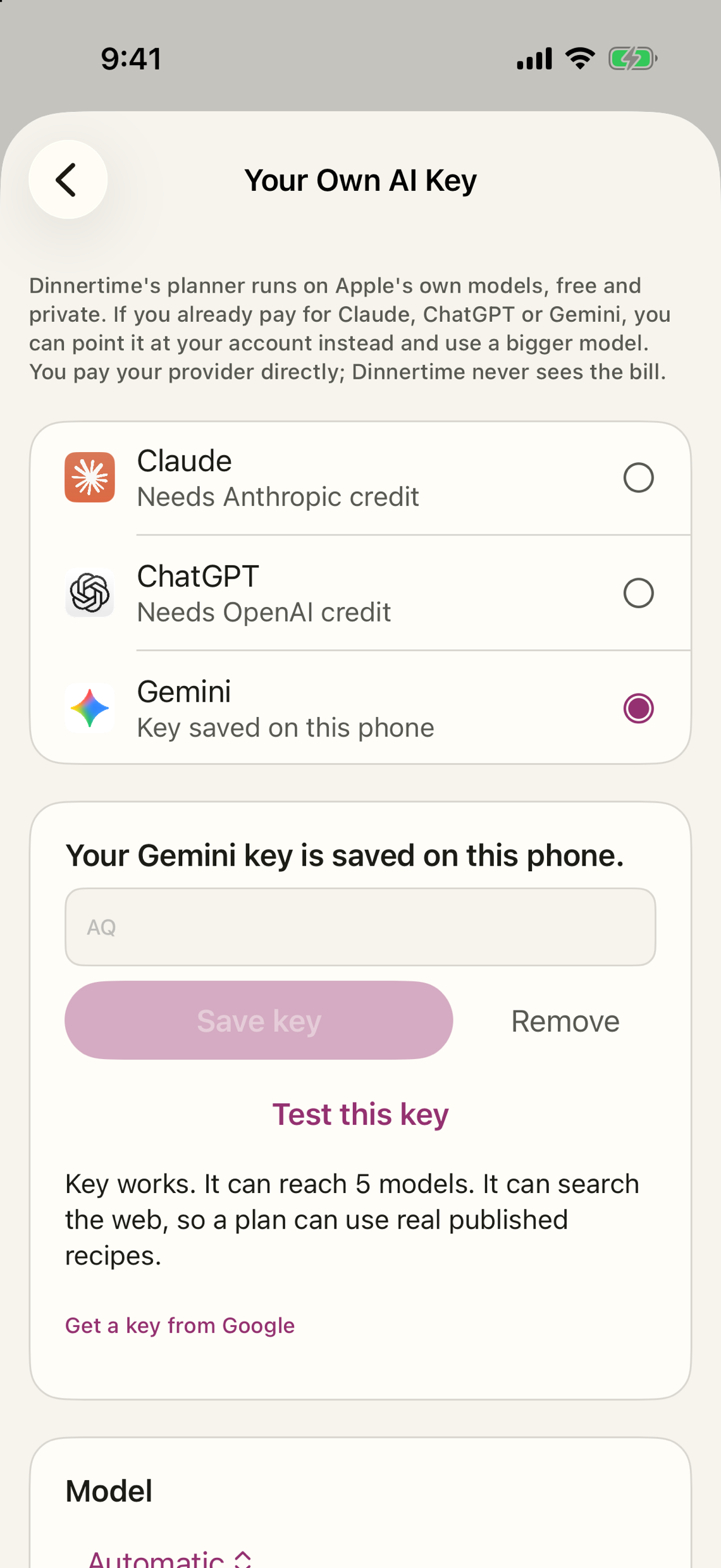
Bring your own AI keyPro
Point the planner at your Claude, ChatGPT or Gemini account for a bigger model. The app tells you what leaves the phone.



Step away
The timer follows you to the lock screen.
Find it again
Search the shelf by dish, cuisine or what is in the fridge.
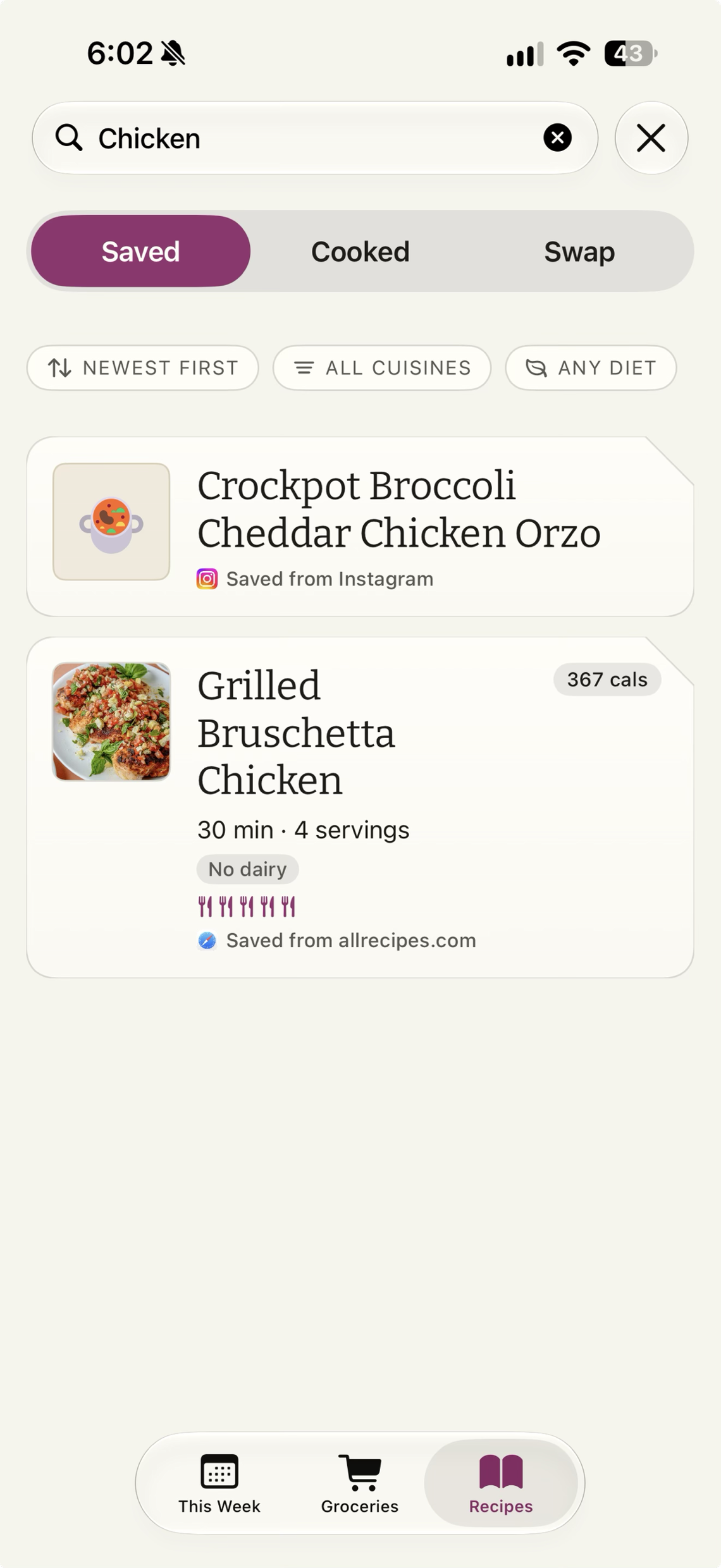
Make it yours
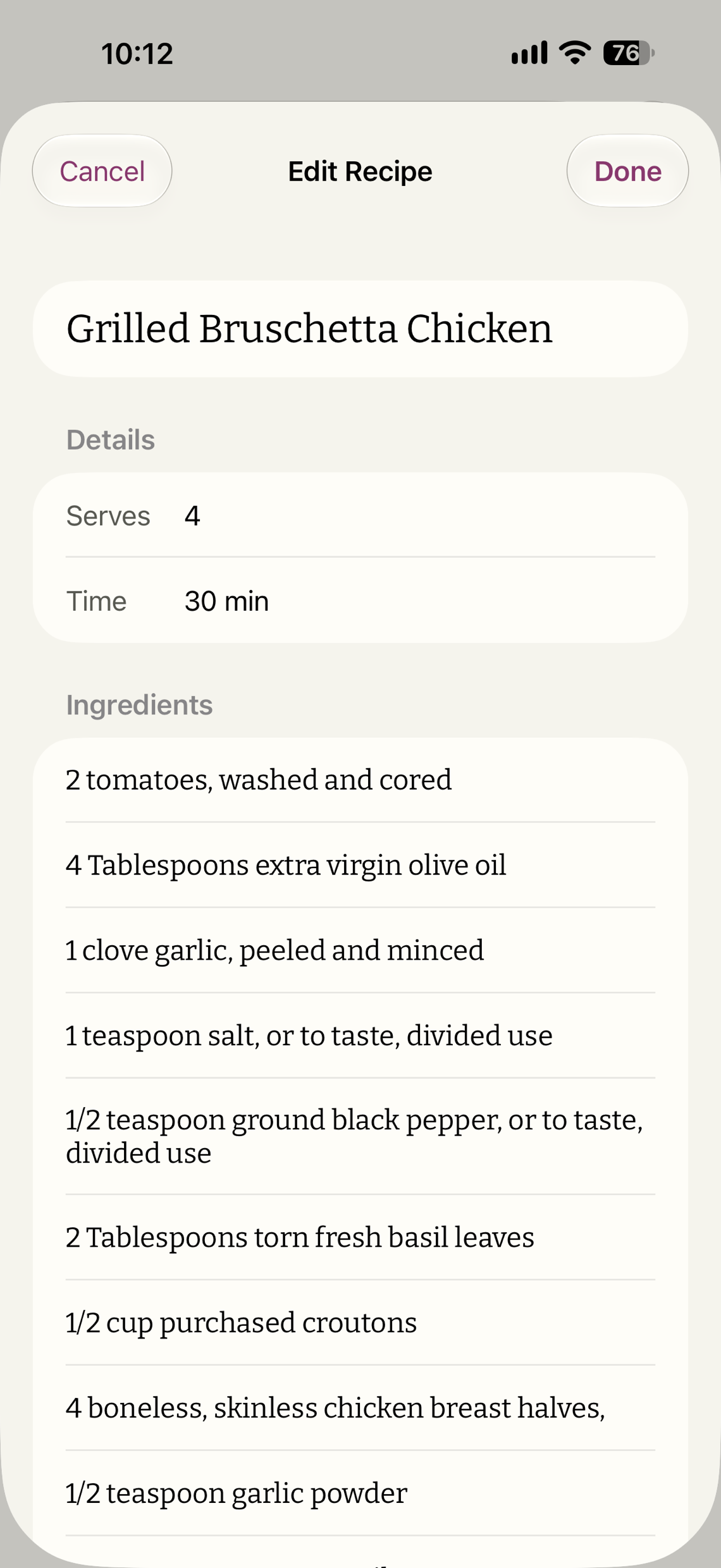
Every saved recipe can be edited, rated, and noted. Scale it for the table you are cooking for and the list follows.
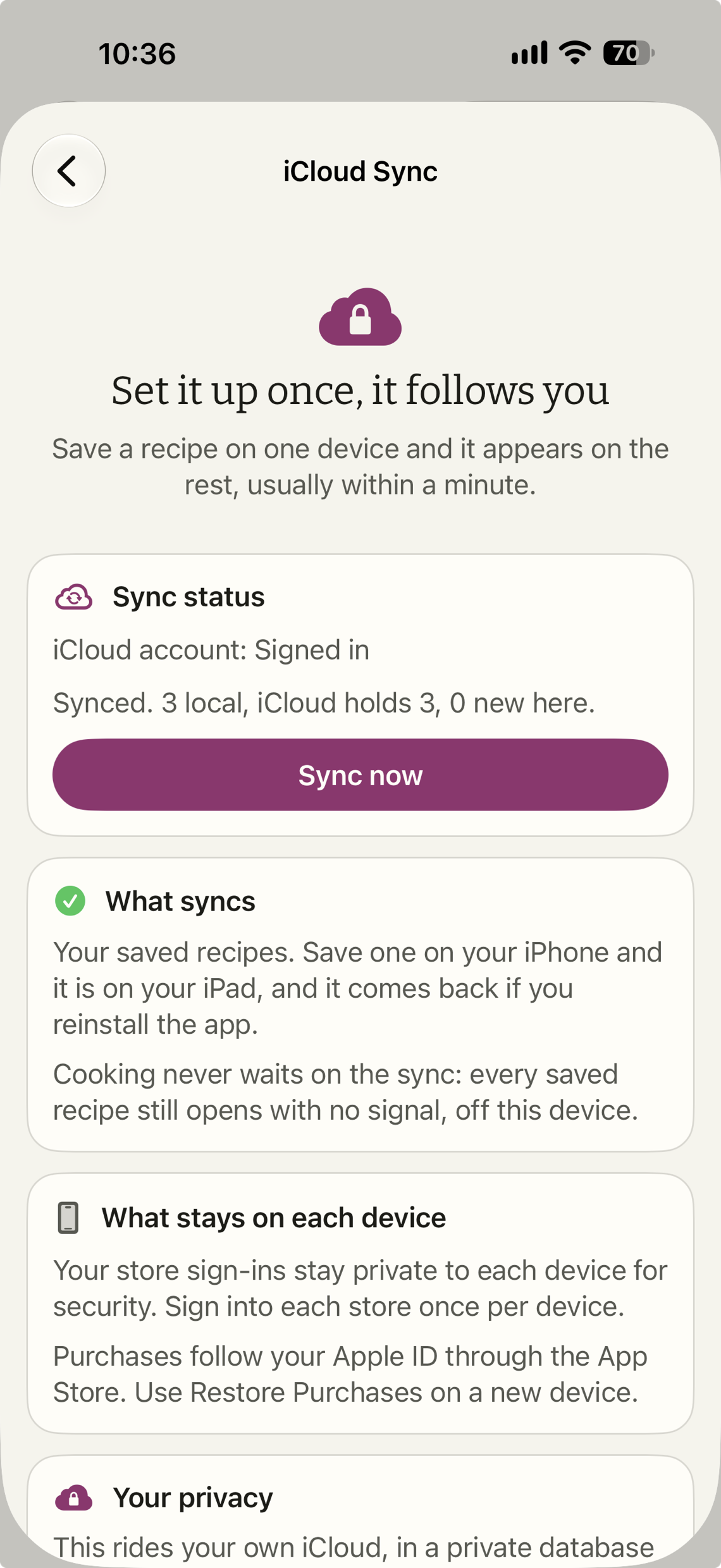
On every device
Your shelf rides your own iCloud. No account.
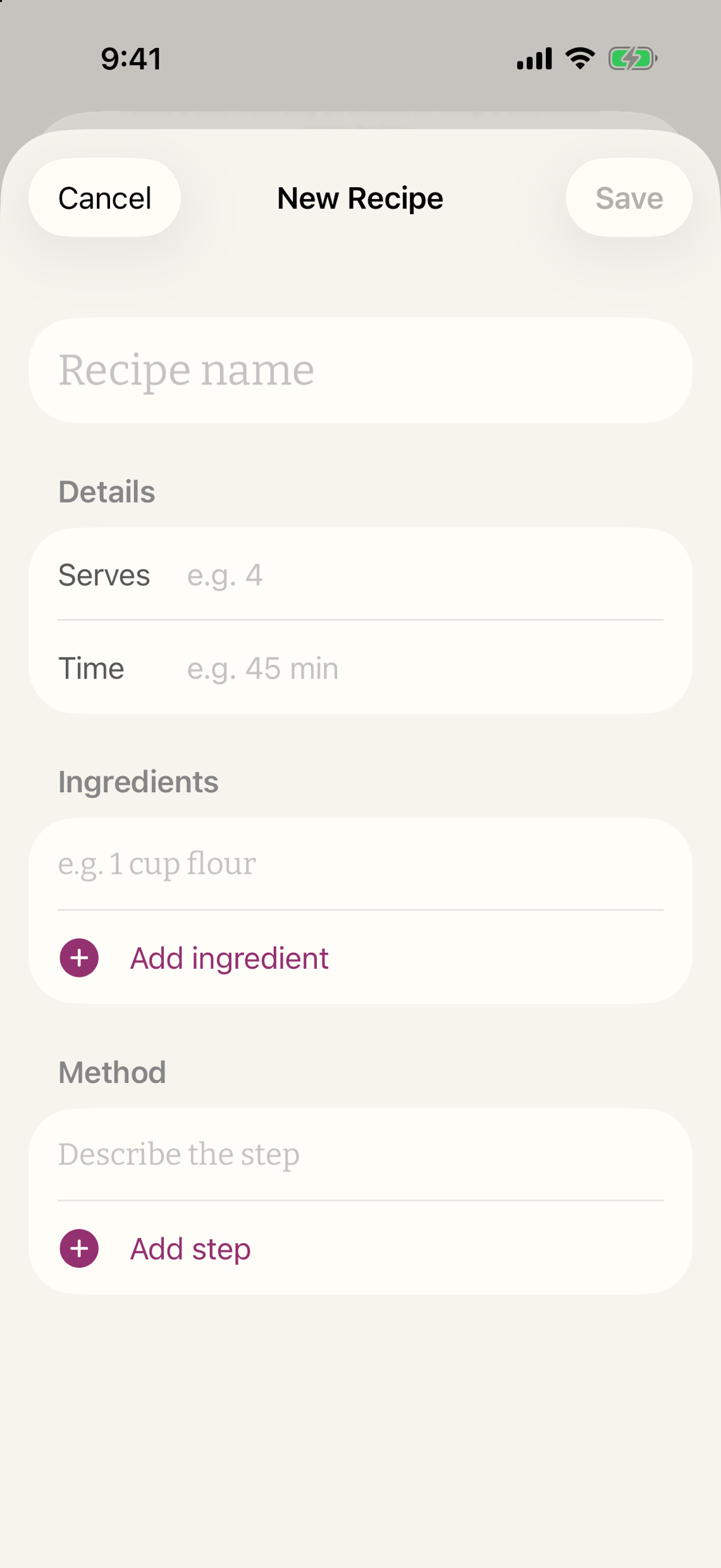
Write it down
The family recipe that was never on a website goes on the shelf in a minute.
Nothing about you leaves your phone.
There is no account to make and nothing to sign in to. Your recipes and your week live on the phone and in your own iCloud, and the app has no analytics of any kind.
- A price lookup sends a search term and gets product data back. Nothing about who asked is kept.
- Scanning a barcode sends the barcode to Open Food Facts to name the product.
- Bringing your own AI key sends the week you are planning to that company under your own account. The app says so beside the switch.
The privacy policy says the same thing at more length.
Dinnertime Pro
Pro, honestly.
Three ways to have it. The app is the same whichever you choose.
What Pro adds
- Live Kroger shelf prices on your list as you plan, and the whole list to your Kroger cart in one tap.
- Product search and barcode scan, priced at every store you use. Walmart, Costco, Publix and Albertsons prices ride along where you are signed in, as a bonus.
- The full nutrition label on every recipe, and the week's whole table: every nutrient, percent daily values against your own goals if you set them, each night's share, and the macros calculator.
- Your past orders read back to you: what you buy most, and what is probably running low, including from the Action Button.
- Your own Claude, ChatGPT or Gemini key for a bigger model. A free Gemini key cannot search the web, so those dinners are written for you, and the app tells you which.
What stays free, forever
No account, no ads, nothing to sign in for.
- Saving recipes from anywhere, and a shelf of starter recipes to begin with.
- Planning the week with Apple's own models, on the phone, around what you don't eat.
- The list in aisle order, and the shop walk.
- The Action Button and Siri shortcuts: add to the list, start cooking, what's for dinner, next step.
- The hands-free cook-along, with timers on the lock screen.
- Notes, ratings and your own photo after a cook.
- The week's calorie and protein total, and sending cooked dinners to Apple Health.
- Shareable menu PDFs for the fridge door.
- The recipe swap: other cooks' recipes, shared without a name, and yours if you like.
Family Sharing is on for all three, so one purchase covers the household.
Dinner, planned before you are too tired to plan it.
It's Dinnertime! is on its way to the App Store.Developed by Smart Home Life LLC.
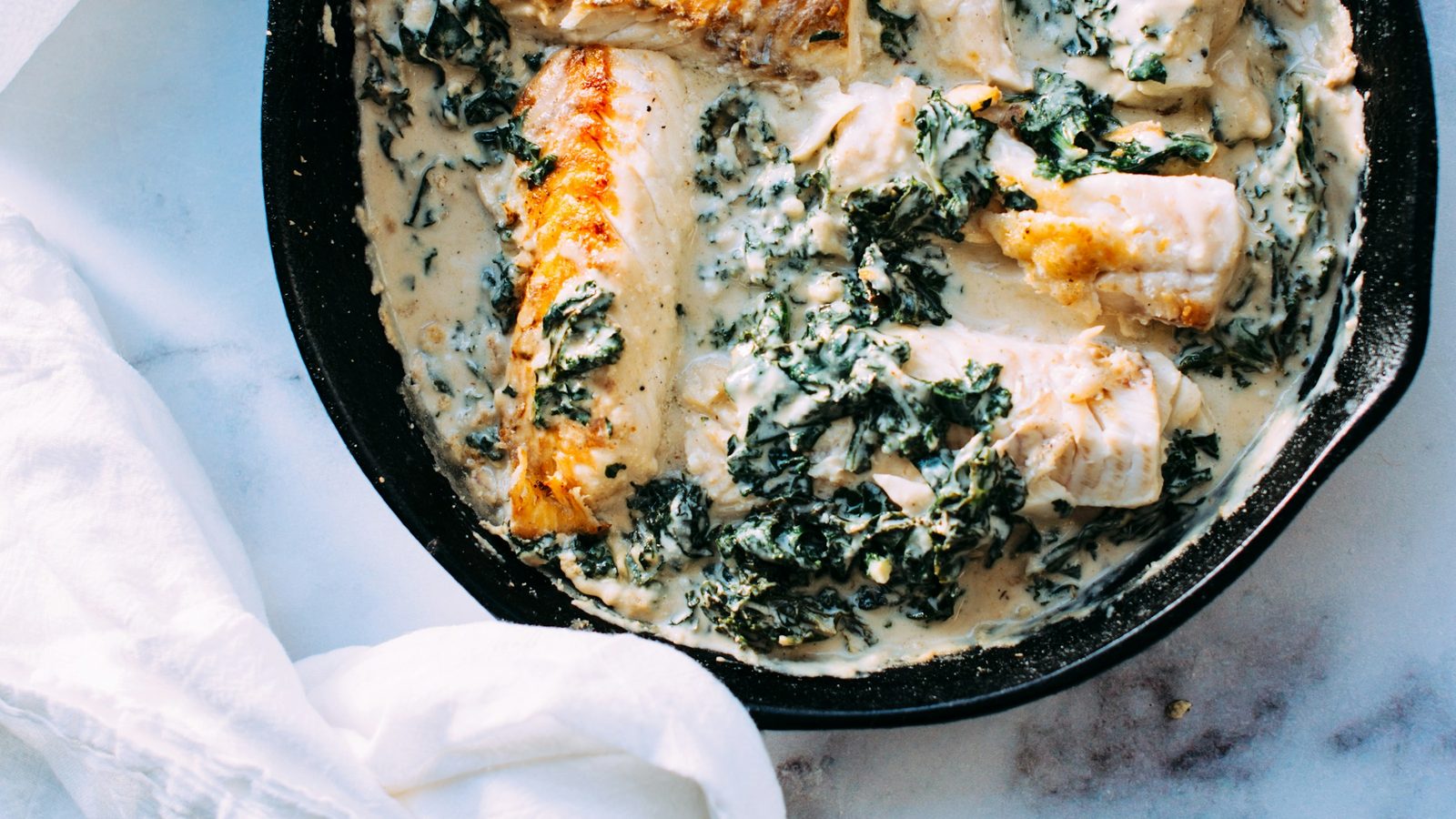
Photo: Jennifer Pallian, via Unsplash (Unsplash License).